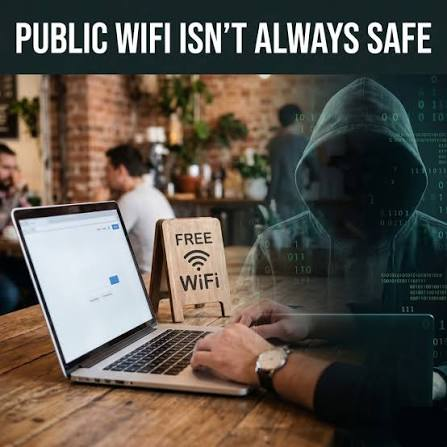
The Free Wi-Fi That Wasn’t Really Free: How One Connection Almost Cost a Traveler Everything
July 22, 2026
Com 0
By Jackson Godwin. Cybersecurity Analyst & Penetration Tester.
The Free Wi-Fi That Wasn’t Really Free
Disclaimer:The following story is a fictional case study inspired by real cybersecurity incidents and common public Wi-Fi attack techniques. It is written to educate readers on how these attacks work and how to stay safe.
It Was Supposed to Be a Quick Coffee Break
Friday afternoon.
The airport was packed.
Business travellers rushed toward their departure gates while families searched for empty seats. Every charging outlet was occupied, and almost everyone had their eyes fixed on a smartphone or laptop.
Tunde had arrived nearly two hours before his flight.
He ordered a cup of coffee, opened his laptop, and decided to catch up on a few work emails before boarding.
As he waited for his coffee, a notification appeared on his phone.
Available Wi-Fi Networks
One network immediately caught his attention.
✈ Airport_Free_WiFi
“No password required.”
Exactly what he needed.
He smiled.
“Perfect.”
Without thinking twice, he tapped Connect.
Within seconds, he was online.
Or at least, he thought he was.
Everything Looked Completely Normal
The internet worked perfectly.
Facebook loaded.
WhatsApp messages started arriving.
His emails synchronized.
Even YouTube videos played without buffering.
There were no warning messages.
No suspicious pop-ups.
No requests to install software.
Everything appeared legitimate.
After replying to a few emails, Tunde logged into his personal email account.
Then his cloud storage.
A few minutes later, he opened his online banking application to confirm that a client’s payment had arrived.
He checked his account balance.
Everything looked normal.
Satisfied, he closed the application and continued browsing until his flight was called.
He boarded the plane believing nothing unusual had happened.
The Strange Notifications Began
The next morning, Tunde’s phone wouldn’t stop vibrating.
One notification after another appeared on his lock screen.
New login detected.
Another.
Your password has been changed successfully.
Another.
A new device has signed in to your account.
His heartbeat increased.
He immediately opened his email application.
His password no longer worked.
He tried again.
Still nothing.
He selected Forgot Password.
The recovery email had been changed.
Whoever had access wasn’t just trying to read his emails.
They wanted complete control.
Within minutes, he discovered other accounts had also been affected.
His cloud storage.
His online shopping account.
Even one of his social media profiles had suspicious login attempts.
The panic began to set in.
“But I Didn’t Download Anything…”
Later that afternoon, Tunde met his friend David, who worked in IT.
“I don’t understand,” he said.
“I never downloaded any files.”
“I didn’t install any apps.”
“I only connected to free Wi-Fi.”
David paused for a moment.
Then he asked a simple question.
“Are you sure it was the airport’s real Wi-Fi?”
The room fell silent.
That question had never crossed Tunde’s mind.
He had simply connected to the first network with the airport’s name.
Like hundreds of other travellers probably did every day.
One Small Mistake
David explained something that surprised Tunde.
Cybercriminals sometimes create wireless networks that look almost identical to legitimate public Wi-Fi networks.
For example:
Airport_Free_WiFi
Airport Free WiFi
Airport_Guest
Airport-WiFi
Airport_Free_Internet
To the average person, they all look legitimate.
The goal isn’t necessarily to “hack” every connected device.
Sometimes, attackers simply hope users will connect and unknowingly expose information, especially if they log in to websites that aren’t properly secured or ignore browser security warnings.
Tunde suddenly remembered something.
The network he connected to never asked him to accept any official airport terms.
It simply connected immediately.
At the time, he thought that was convenient.
Now he wondered whether convenience had almost cost him his digital identity.
The Cybersecurity Lesson Begins
Public Wi-Fi is incredibly useful.
Millions of people rely on it every day in airports, hotels, restaurants, shopping malls, universities, and coffee shops.
Many public networks are operated responsibly and include security protections.
However, not every network with a familiar name is genuine.
Cybercriminals understand that people often connect automatically without checking who actually owns the network.
That’s why public Wi-Fi remains one of the most discussed topics in cybersecurity awareness.
The danger isn’t that every free Wi-Fi network is malicious.
The danger is assuming every free Wi-Fi network is trustworthy.
What Is an “Evil Twin” Wi-Fi Network?
One common technique discussed by cybersecurity professionals is known as an Evil Twin Attack.
An Evil Twin is a rogue wireless network created to imitate a legitimate public Wi-Fi hotspot.
The fake network often uses a name that closely resembles the real one.
Its purpose is to convince users to connect without questioning whether it is genuine.
Once connected, attackers may attempt to observe network traffic, present fake login pages, or trick users into revealing credentials. Modern websites that use HTTPS significantly reduce many risks, but fake portals and phishing remain concerns, especially if users ignore browser warnings or enter credentials into fraudulent pages.
Tunde realized he had never verified the official Wi-Fi name with airport staff.
He simply trusted what appeared on his screen.
That single decision almost became the most expensive mistake of his trip.
👉 End of Part 1
In Part 2, you’ll learn how attackers exploit fake Wi-Fi networks, what information they target, how HTTPS protects users, common myths about public Wi-Fi, and the simple habits that can dramatically reduce your risk while travelling.