The PDF Invoice That Installed Ransomware (Part 2)
July 30, 2026
Com 0
By Jackson Godwin. Cybersecurity Analyst & Penetration Tester.
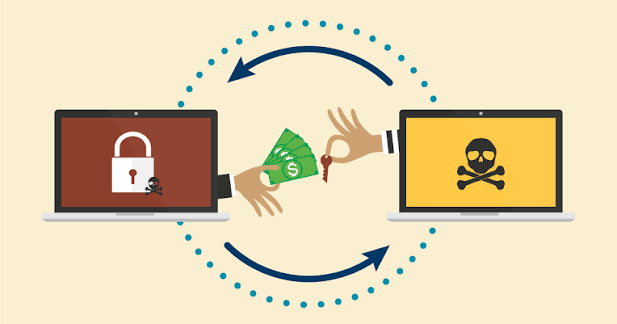
The Ransom Note Explained Everything
I opened the text file that had appeared on my desktop.
The message was short and terrifying.
“All your important files have been encrypted using strong encryption.”
It continued:
“Do not rename your files. Do not attempt recovery software. To recover your data, purchase our decryption key.”
Below the message was a countdown timer.
72 hours remaining.
There was also a cryptocurrency wallet address where the payment was supposed to be sent.
Every Folder Was Affected
I checked my Documents folder.
Then Pictures.
Downloads.
Desktop.
Almost everything had changed.
Word documents.
Excel spreadsheets.
PDF files.
Photos.
Videos.
Project files.
One by one, they had become inaccessible.
The ransomware hadn’t targeted just one folder.
It had spread across my entire computer.
I Restarted the Computer
I hoped it was some kind of error.
Maybe restarting Windows would fix everything.
It didn’t.
After rebooting, the ransom note appeared again.
The countdown continued.
Every encrypted file remained locked.
Nothing had changed.
I Contacted the IT Team
I immediately called our IT department.
The technician’s first question surprised me.
“Have you opened any unusual email attachments today?”
Then I remembered the invoice.
The PDF.
The “Enable Content” message.
Everything suddenly made sense.
They Told Me to Disconnect Immediately
The IT team instructed me to:
Disconnect the computer from the internet.
Remove the network cable.
Turn off Wi-Fi.
Avoid connecting USB drives or external storage.
The goal was to reduce the chance of the malware spreading to other systems or shared resources.
Those few minutes suddenly felt incredibly important.
The Fake Invoice Wasn’t Really a PDF
During the investigation, the security team discovered something unexpected.
The attachment had looked like an ordinary PDF.
But hidden inside was malicious code that executed after I followed the instructions shown in the document.
The invoice itself was only a disguise.
Its real purpose was to install ransomware.
Other Employees Received the Same Email
The attack hadn’t targeted only me.
Several colleagues had received identical messages.
Fortunately, most of them ignored the attachment after noticing something suspicious.
I happened to be the first person who opened it.
One click had almost become a company-wide security incident.
The Attack Was Carefully Planned
The attackers had done their homework.
They used:
A believable supplier name.
A realistic invoice number.
Professional formatting.
A convincing payment deadline.
Nothing looked obviously fake.
The email relied on routine business behaviour.
Employees receive invoices every day.
That familiarity became the attacker’s greatest advantage.
The Real Damage Was Only Beginning
Although the ransomware had already encrypted my files, the investigators believed the attackers might have attempted more than simple file encryption.
Modern ransomware groups sometimes try to steal sensitive information before encrypting systems.
The investigation was far from over.
In the final part of this story, I’ll explain how the incident ended, reveal practical ways to recognise ransomware emails, and share the cybersecurity habits that can help prevent one email from becoming a disaster.
Continue Reading:The PDF Invoice That Installed Ransomware (Part 3)