How a Simple QR Code Could Lead to a Scam: What Every Smartphone User Should Know (Part 2)
July 23, 2026
Com 0
What Exactly Is QR Phishing?
After leaving the coffee shop, I kept thinking about what had happened.
Most people trust QR codes.
Why wouldn’t they?
We use them almost every day.
To pay for parking.
To view restaurant menus.
To make payments.
To download mobile apps.
To join Wi-Fi networks.
To visit websites.
Because QR codes have become so common, many people scan them without asking where they actually lead.
Cybercriminals know this.
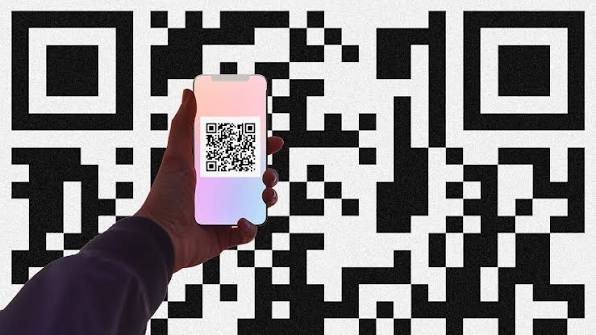
That is why a growing number of attacks now involve QR phishing, often called “quishing.”
Instead of sending victims a suspicious email link, criminals hide the malicious website inside a QR code.
When the victim scans it, the phone opens the website automatically.
The scam has already begun.
The Fake Website Looked Almost Perfect
Out of curiosity, I safely examined the fake website that the QR code opened.
At first glance, it looked genuine.
It displayed the coffee shop’s logo.
The colours matched the real website.
There was even a professional-looking banner announcing the discount.
If I had visited the page without paying attention, I probably would have believed it was legitimate.
Then I noticed something unusual.
The page asked visitors to:
Sign in with their email.
Enter a password.
Verify their phone number.
Confirm payment details to “activate” the promotion.
That immediately raised a red flag.
Why would anyone need to provide that much information just to receive a coffee discount?
The answer was simple.
They didn’t.
The attackers weren’t interested in giving discounts.
They were interested in collecting information.
Why Criminals Love QR Codes
Unlike ordinary website links, QR codes hide the destination.
You cannot immediately see the full web address printed on the poster.
Instead, you simply scan it.
Tap.
And the browser opens.
That extra step removes one of the biggest warning signs people normally use to detect phishing attacks.
Many users never stop to check whether the website address actually belongs to the company they think they’re visiting.
Cybercriminals take advantage of that habit.
QR Code Scams Are Appearing Everywhere
Most people associate QR codes with restaurants.
But attackers have become much more creative.
Today, malicious QR codes have been found in places such as:
Parking payment machines.
Event posters.
Bus stations.
Hotel reception areas.
Shopping malls.
Restaurant tables.
Package delivery notices.
Printed advertisements.
Sometimes attackers simply print their own QR code sticker and place it over the original one.
Other times they distribute fake flyers containing malicious codes.
The goal remains the same.
Get someone to scan.
What Happens After You Scan?
Not every malicious QR code behaves the same way.
Some simply open fake login pages.
Others attempt to convince you to download a harmful application.
Some ask you to enter payment information.
Others try to collect personal details that can later be used in identity fraud.
The QR code itself isn’t the danger.
The danger is trusting whatever appears after you scan it.
That’s why cybersecurity professionals recommend treating QR codes with the same caution as links received through email or text messages.
The Smallest Clue Saved Me
Looking back, I realized something interesting.
The biggest warning sign wasn’t technical.
It was physical.
The fake QR code had been placed on top of the original one.
The sticker looked slightly different.
The edges weren’t perfectly aligned.
Most customers probably wouldn’t have noticed.
They were busy.
In a hurry.
Focused on getting their coffee.
Cybercriminals understand that people often make quick decisions.
That’s why they design scams that blend into everyday life.
Could This Happen in Nigeria?
Absolutely.
QR codes are becoming increasingly common across Nigeria.
Many businesses now use them for:
Digital payments.
Menus.
Promotions.
Event registrations.
Product information.
As QR code usage grows, so does the opportunity for criminals to misuse them.
That doesn’t mean people should stop using QR codes.
It simply means we should use them wisely.
Technology itself isn’t the problem.
How criminals exploit technology is.
Five Warning Signs Everyone Should Know
After reflecting on the incident, I created a simple checklist.
Whenever I scan a QR code today, I look for these warning signs.
1. Does the QR code look like it has been placed over another one?
If something appears unusual, don’t ignore it.
2. Does the website ask for information that doesn’t make sense?
A coffee discount shouldn’t require your banking password.
3. Does the web address look unusual?
Before entering any information, carefully check the domain name.
Attackers often create addresses that look very similar to legitimate websites.
4. Is there unnecessary urgency?
Messages such as:
“Offer expires in five minutes!”
“Verify immediately!”
“Limited time only!”
are commonly used to pressure victims into acting without thinking.
5. Does something simply feel wrong?
Never ignore your instincts.
If something doesn’t look or feel right, stop.
Take a moment to verify before continuing.
By the time I finished reviewing the fake QR code attack, one thing had become very clear.
Cybercriminals weren’t relying on sophisticated hacking tools.
They were relying on ordinary human behavior.
People trust convenience.
People trust technology.
People trust what appears familiar.
And that’s exactly why QR phishing continues to grow.
In the final part of this article, I’ll share the QR Code Safety Checklist I now follow, explain what to do if you’ve already scanned a suspicious QR code, answer the most common questions about QR phishing, and leave you with simple habits that can help keep your smartphone and personal information safe.