By Jackson Godwin. Cybersecurity Analyst & Penetration Tester
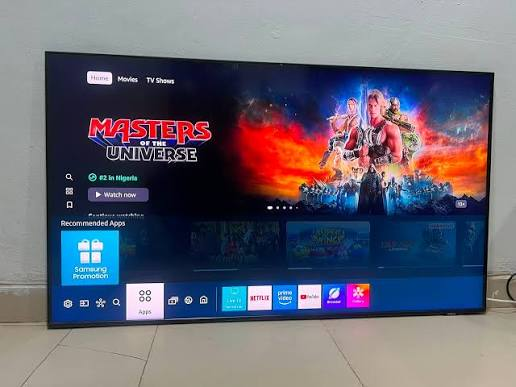
I Opened the Privacy Menu
After using the Smart TV for a couple of weeks, I decided to explore the settings more carefully.
Buried several menus deep was a section labelled Privacy & Data.
I was surprised by how many options were available.
Some settings related to:
- Viewing history.
- Personalised recommendations.
- Voice assistant features.
- Usage analytics.
- Diagnostic information.
Several of them had already been enabled during the initial setup because I had accepted the default configuration.
The Television Remembered More Than I Expected
As I explored the settings, I realised the TV could remember information such as:
- Recently watched programmes.
- Installed applications.
- Search history.
- Streaming preferences.
Many Smart TVs use this information to improve recommendations and personalise the user experience.
Those features can be useful.
But they also reminded me that a Smart TV is much more than a display—it is a connected computer designed for entertainment.
The Voice Assistant Needed Permission
One feature that caught my attention was the built-in voice assistant.
To use voice commands, the television requested access to voice-related features.
Voice assistants are designed to process spoken commands so they can perform requested tasks.
If you decide to use these features, it’s worth understanding how voice data is handled and reviewing the available privacy settings.
I realised I had enabled the feature without giving it much thought.
Automatic Data Sharing Was Enabled
Another setting allowed the TV to send diagnostic and usage information.
Manufacturers often use diagnostic information to improve software, identify bugs and enhance future updates.
However, not everyone is comfortable sharing the same amount of information.
The important lesson wasn’t that the setting existed.
It was that I hadn’t realised it had been enabled.
I Reviewed Every Option
Instead of leaving everything unchanged, I carefully reviewed each setting.
For every option, I asked myself:
- Do I actually use this feature?
- Does enabling it improve my experience?
- Am I comfortable sharing this information?
For features I didn’t need, I chose more privacy-focused settings where appropriate.
The television still worked perfectly.
Convenience Had Made Me Rush
Looking back, I understood why I accepted every default option.
I simply wanted to start watching television.
Like many people, I clicked Accept several times without reading the details.
Cybercriminals aren’t the only reason privacy matters.
Sometimes we share more information than intended simply because we’re in a hurry.
Every Connected Device Deserves Attention
That experience changed the way I view Internet-connected devices.
It’s easy to think about protecting:
- Smartphones.
- Laptops.
- Tablets.
But Smart TVs, smart speakers, cameras and other connected home devices also deserve attention.
Each one has:
- Software.
- Network access.
- Privacy settings.
- Regular updates.
Treating them like computers rather than ordinary household appliances helps build better security habits.
I Learned That Privacy Is Configurable
One of the biggest surprises was discovering that many privacy-related options could be adjusted.
I didn’t have to accept every default setting forever.
By spending just a few minutes reviewing the configuration, I gained a better understanding of:
- What the TV could do.
- What features do I want?
- Which features do I prefer to limit?
That small investment of time gave me much more confidence in using the device.
In the final part of this article, I’ll explain the biggest privacy lessons I learned from my Smart TV, share practical tips for securing connected home devices, and reveal the simple habit I now follow whenever I set up any new smart device.
Continue Reading: The Smart TV That Collected More Data Than I Expected (Part 3)