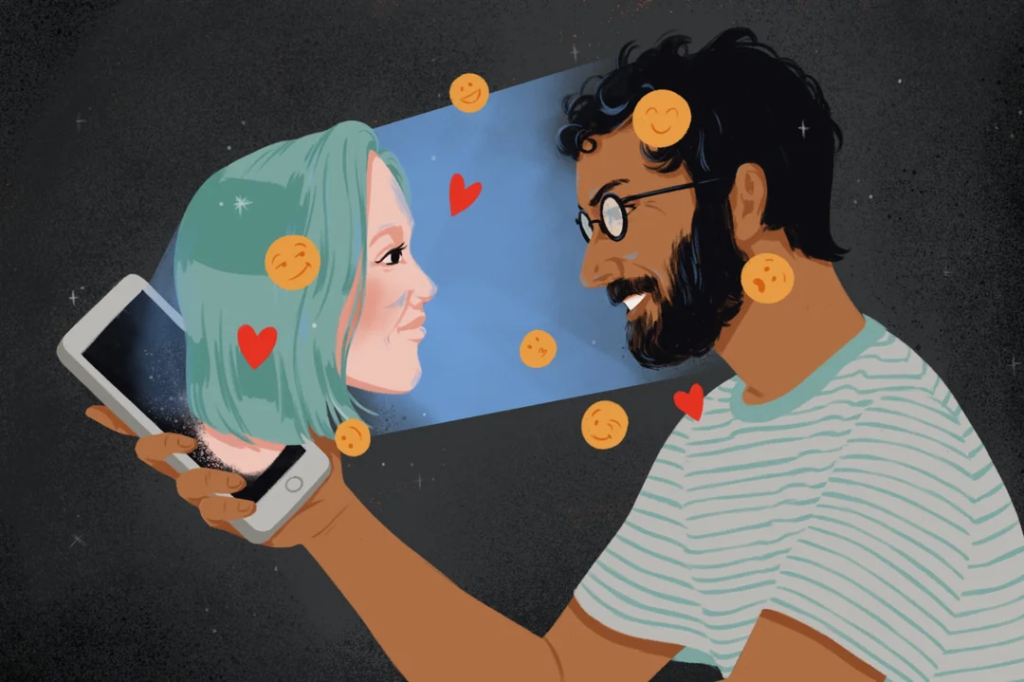
The AI Girlfriend App That Blackmailed Me: How a Fake Romance AI Turned Into a Sextortion Nightmare (Part 3)
August 1, 2026
Com 0
By Jackson Godwin. Cybersecurity & Penetration Tester.
In Part 2, we explored how fake AI companion apps collect personal information, build trust through social engineering, and eventually attempt to blackmail victims. Fortunately, there are practical steps you can take to protect yourself and respond safely if you become a target.
What To Do If Someone Tries to Blackmail You Online
Receiving a blackmail message can be frightening, especially if the sender claims to have private conversations, photos, or personal information.
The first and most important rule is:
Do not panic.
Cybercriminals rely on fear and urgency. They want victims to react emotionally instead of thinking clearly.
1. Do Not Pay the Criminals
Many victims believe paying will make the problem disappear.
Unfortunately, that’s rarely true.
If you pay:
The attacker knows you’re willing to send money.
They may demand even more.
They may continue threatening you.
They still have your information.
Paying offers no guarantee that the threats will stop.
2. Stop Communicating
Avoid arguing with the attacker.
Do not negotiate.
Do not try to convince them to delete your information.
Instead:
Stop responding.
Save the messages as evidence.
Block the account if appropriate.
3. Secure Your Accounts Immediately
If you entered your login details into a suspicious website or application:
Change your password immediately.
Change passwords for any other accounts using the same password.
Enable Multi-Factor Authentication (MFA).
Review recent login activity.
Remove unknown devices connected to your account.
Speed matters.
The sooner you secure your accounts, the better your chances of preventing further damage.
4. Remove the Suspicious Application
Delete the fake application from your device.
Then perform a complete malware scan using trusted security software.
Some fake AI apps collect passwords.
Others install spyware or remote-access malware that remains active even after the app is removed.
5. Monitor Your Financial Accounts
If the application collected payment information, monitor your:
Bank accounts
Credit cards
Mobile payment apps
Cryptocurrency wallets
Report suspicious transactions immediately.
How to Stay Safe When Using AI Apps
Artificial intelligence is becoming part of everyday life.
Whether you’re using AI for writing, coding, studying, or entertainment, follow these cybersecurity best practices.
Download Only from Trusted Sources
Install applications only from:
Official websites
Trusted app stores
Verified developers
Avoid downloading APK files or software from unknown websites.
Read Privacy Policies
Legitimate companies explain:
What information they collect
Why they collect it
How they store it
Whether they share it with third parties
If an app provides no clear privacy information, think twice before using it.
Share Less Personal Information
Remember:
An AI application does not need to know everything about your life.
Avoid sharing:
Financial information
Government identification numbers
Passwords
Private photos
Banking details
Confidential work information
Treat AI conversations the same way you would treat conversations with strangers online.
Use Strong, Unique Passwords
Every important online account should have its own password.
A password manager can help generate and store unique passwords securely.
Enable Multi-Factor Authentication
MFA remains one of the most effective security protections available.
Even if someone steals your password, they still need the second authentication factor to access your account.
Cybersecurity Lessons I Learned
This experience completely changed how I use AI applications.
I learned that:
Popular brands are attractive targets for cybercriminals.
Professional-looking apps can still be malicious.
Trust should never replace verification.
Personal information has real value to criminals.
Strong passwords and MFA can prevent serious damage.
A few minutes of caution can prevent months of recovery.
Technology itself wasn’t the problem.
Blind trust was.
Frequently Asked Questions
Are all AI girlfriend apps scams?
No.
Many AI companion applications are legitimate.
However, fake versions also exist, so always download apps from trusted sources and verify the developer before installing them.
Can AI apps steal personal information?
Legitimate applications collect some information according to their privacy policies.
Malicious applications may collect far more than necessary or steal information without your knowledge.
What is sextortion?
Sextortion is a form of cybercrime where attackers threaten to expose private conversations, photos, videos, or personal information unless the victim pays money or complies with other demands.
Should I pay if someone threatens me online?
No.
Security experts generally recommend not paying cybercriminals because payment does not guarantee the threats will stop.
Instead, preserve evidence, secure your accounts, and report the incident to the relevant authorities or platforms.
Can Multi-Factor Authentication stop account theft?
In many cases, yes.
Even if attackers know your password, MFA adds another layer of protection that makes unauthorized access much more difficult.
Final Thoughts
Artificial intelligence is an incredible technology that offers enormous benefits, but its popularity has also created new opportunities for cybercriminals.
Fake AI companion apps, phishing websites, and fraudulent AI services are becoming increasingly sophisticated.
The safest approach is simple:
Download software only from trusted sources.
Verify the developer before installing any app.
Protect your accounts with strong passwords and Multi-Factor Authentication.
Never share sensitive personal information with applications you don’t fully trust.
Cybersecurity isn’t about being afraid of technology—it’s about using technology wisely.
The more informed you are, the harder it becomes for cybercriminals to manipulate you.
Stay curious, stay cautious, and always verify before you trust.
About the Author
Jackson Godwin is a Cybersecurity Consultant and Vulnerability Assessment & Penetration Testing (VAPT) Specialist with over five years of professional experience helping organizations identify security weaknesses, improve cyber resilience, and strengthen their overall security posture.
His expertise includes web application security, network security, cloud security, Governance, Risk & Compliance (GRC), ISO/IEC 27001, PCI DSS, AI security, and cybersecurity awareness.
Jackson is the founder and author of JacksonTechnology.com.ng, where he publishes practical cybersecurity guides, ethical hacking tutorials, certification roadmaps, AI security insights, and real-world cyber awareness stories to educate individuals and businesses about today’s evolving digital threats.
Visit JacksonTechnology.com.ng for expert cybersecurity articles, career guides, ethical hacking tutorials, AI security updates, and practical online safety tips to help you stay protected in an increasingly connected world.