By Jackson Godwin. Cybersecurity Analyst & Penetration Tester.
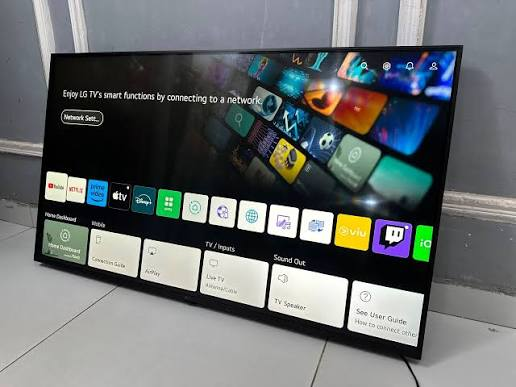
The TV Wasn’t the Problem
After reviewing the settings, I realised something important.
The Smart TV itself wasn’t “spying” on me in the way sensational headlines sometimes suggest.
It was operating according to the features and settings I had accepted during setup.
The real lesson wasn’t about fear.
It was about awareness.
I had agreed to options without understanding what they did.
That experience completely changed how I set up connected devices.
The Biggest Privacy Lessons I Learned
Looking back, there were several mistakes I made during the installation process.
Here are the biggest lessons.
🚩 I Accepted Every Default Setting
Like many people, I wanted to start using my new TV immediately.
Instead of reading each option, I kept pressing:
Accept
Next
Continue
Many devices are configured with default settings that prioritise convenience.
Taking a few extra minutes to review those options can help you make choices that match your own privacy preferences.
🚩 I Didn’t Read the Privacy Options
The privacy menu explained:
- Personalised recommendations.
- Usage information.
- Voice assistant settings.
- Diagnostic information.
I skipped past almost all of it.
Today, I don’t try to read every line of every agreement.
Instead, I pay particular attention to settings that involve:
- Personal information.
- Usage data.
- Voice features.
- Advertising preferences.
🚩 I Treated the TV Like an Ordinary Television
That was probably my biggest mistake.
A Smart TV is no longer just a screen.
It is an internet-connected device that may include:
- Applications.
- User accounts.
- Software updates.
- Cloud services.
- Online features.
Once I started thinking of it as another computer in my home, my approach to security changed completely.
🚩 I Left Features Enabled That I Didn’t Use
Some features can improve the user experience.
Others may be unnecessary for the way you use your television.
If you never use a particular feature, consider reviewing whether it needs to remain enabled.
Keeping only the features you actually use can simplify your privacy settings.
🚩 I Forgot That Every Connected Device Matters
Many people secure:
- Their laptops.
- Their smartphones.
- Their online accounts.
But they forget about:
- Smart TVs.
- Smart speakers.
- Smart cameras.
- Smart home hubs.
Every internet-connected device deserves the same level of attention.
How to Protect Your Smart TV Privacy
Today, whenever I buy a connected device, I follow a simple checklist.
Review Privacy Settings During Setup
Instead of accepting every default option, spend a few minutes reviewing:
- Privacy preferences.
- Data-sharing options.
- Personalisation settings.
Choose the configuration that best matches your comfort level.
Install Software Updates
Manufacturers regularly release updates that improve:
- Security.
- Stability.
- Performance.
Keeping your Smart TV updated helps protect it against known vulnerabilities.
Use Strong Account Passwords
If your Smart TV requires an online account:
- Use a strong password.
- Avoid reusing passwords from other services.
- Enable multi-factor authentication if it is available for the associated account.
Disable Features You Don’t Use
If you never use:
- Voice assistants.
- Screen sharing.
- Remote access.
- Personalised recommendations.
Consider reviewing whether those features need to remain enabled.
Review Your Settings Periodically
Privacy settings can change after software updates or when new features are introduced.
Checking them occasionally helps you stay informed about how your device is configured.
Frequently Asked Questions
Do Smart TVs collect any information?
Many Smart TVs process certain information to provide features such as streaming services, recommendations, voice assistants and software updates.
Exactly what information is handled depends on the manufacturer, the services you use and the privacy settings you choose.
Should I disconnect my Smart TV from the internet?
Not necessarily.
Internet access enables many useful features, including streaming services and security updates.
Instead of disconnecting it completely, review the available privacy settings and use only the features you need.
Are voice assistants always listening?
Voice-enabled devices typically process voice commands only when activated in accordance with their design and settings.
Different manufacturers implement these features differently, so it’s worth reviewing your device’s documentation and privacy controls to understand how yours works.
How often should I review my Smart TV settings?
It’s a good idea to review your settings:
- After major software updates.
- When enabling new features.
- Every few months as part of your general digital security routine.
Final Thoughts
Buying a Smart TV taught me something I wasn’t expecting.
Modern televisions aren’t just entertainment devices.
They’re connected computers that deserve the same attention we give our phones and laptops.
The biggest mistake I made wasn’t buying the TV.
It was assuming the default settings automatically matched my privacy preferences.
Today, whenever I set up any smart device, I follow one simple rule:
Before I start using it, I spend a few minutes understanding what information it collects and which settings I can control.
Those few minutes can make a significant difference to your digital privacy.
Cybersecurity doesn’t begin only with passwords and firewalls.
Sometimes, it begins with reading the settings before pressing “Accept.”
About the Author
Jackson Godwin is a Cybersecurity Consultant specialising in Vulnerability Assessment and Penetration Testing (VAPT), Governance, Risk and Compliance (GRC), ISO/IEC 27001, PCI DSS, Cloud Security, AI Security, and Digital Risk Management.
With years of experience helping organisations identify vulnerabilities, strengthen security controls, and improve cyber resilience, Jackson is passionate about making cybersecurity practical, easy to understand, and accessible to everyone.
Through JacksonTechnology.com.ng, he publishes cybersecurity awareness stories, ethical hacking tutorials, compliance guides, cloud security insights, AI security resources, and practical online safety tips to help individuals and businesses stay protected against evolving cyber threats.
His mission is to educate, empower, and inspire safer digital habits—one cybersecurity story at a time.