Why Cybercriminals Love Old Smartphones: The Hidden Risks of Using Outdated Devices (Part 2)
July 24, 2026
Com 0
By Jackson Godwin. Cybersecurity Security Analyst & Penetration Tester.
“So Should I Throw My Phone Away?”
After explaining why security updates matter, my uncle looked at me and laughed.
“So you’re saying I should throw this phone away?”
I smiled.
“No.”
Cybersecurity isn’t about creating fear.
It’s about understanding risk.
An older smartphone isn’t automatically unsafe.
In fact, many people continue using older devices without ever experiencing a security incident.
The important question is this:
Is the phone still receiving security updates from the manufacturer?
That answer can make a significant difference.
What Is an Unsupported Smartphone?
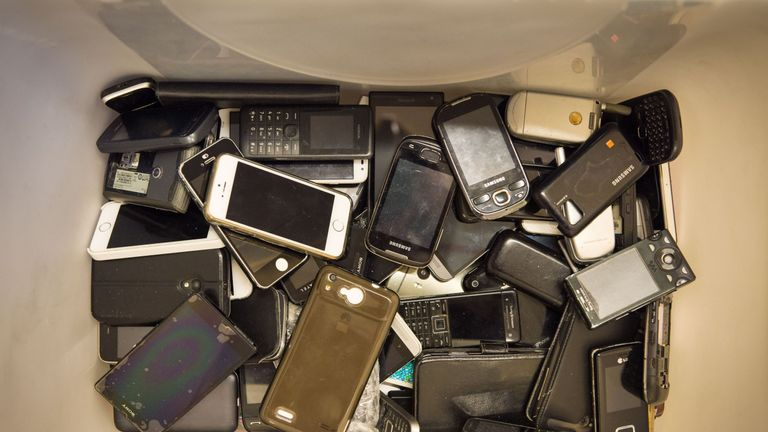
An unsupported smartphone is a device that no longer receives security updates or operating system updates from its manufacturer.
This usually happens because the phone has reached the end of its supported life.
The exact support period varies depending on the manufacturer and the model.
When support ends:
New security fixes may no longer be released.
Newly discovered vulnerabilities may remain unpatched.
Some apps may eventually stop supporting the device.
Compatibility with newer security features may be limited.
The phone may still function normally—but it isn’t being maintained in the same way as supported devices.
Why Criminals Pay Attention to Older Devices
Imagine two houses.
One has:
Strong locks.
Security cameras.
Bright lights.
An alarm system.
The other has:
An old lock that has never been replaced.
No security camera.
Broken outdoor lights.
Which one might attract more attention from a thief?
The same principle applies to technology.
Cybercriminals often look for easier opportunities.
If an older device is no longer receiving security improvements while newer devices are, the older one may present a more attractive target.
That doesn’t mean every old phone will be attacked.
It means reducing security protections over time can increase risk.
The Hidden Problem Most People Never Notice
One thing surprised my uncle.
He had never seen a warning that said:
“Your phone is no longer supported.”
Instead, everything looked normal.
The phone still:
Received calls.
Opened WhatsApp.
Played YouTube videos.
Connected to Wi-Fi.
Nothing appeared broken.
That’s one reason many people continue using unsupported phones without realizing that security support has ended.
Cybersecurity problems are often invisible until something goes wrong.
Another Mistake I Found
While reviewing my uncle’s phone, I noticed another issue.
He had installed applications from several different places over the years.
When I asked where some of them came from, he replied,
“A friend sent me the file on WhatsApp.”
That immediately caught my attention.
Installing apps from unofficial or unknown sources can introduce additional security risks.
Official app stores generally perform security checks before publishing apps, although no system is perfect.
Downloading software from unfamiliar websites or random messages may increase the chance of installing something you didn’t intend.
Whenever possible, it’s safer to download apps from trusted sources.
“I Can’t Afford a New Phone Right Now”
This is probably the question I hear most often.
And it’s completely understandable.
Not everyone can replace a smartphone immediately.
Fortunately, there are still practical steps you can take if you’re using an older device.
For example:
Install every available security update.
Keep your apps updated.
Delete apps you no longer use.
Download apps only from trusted sources.
Use a strong screen lock.
Enable Multi-Factor Authentication (MFA) on important accounts.
Back up your important files regularly.
These habits won’t make an unsupported phone equivalent to a newly supported device—but they can still improve your overall security.
It’s Not About Buying the Most Expensive Phone
Many people assume cybersecurity professionals recommend the latest flagship smartphone every year.
That’s simply not true.
You don’t need the most expensive phone.
You need a phone that meets your needs and continues to receive appropriate security support.
Sometimes a mid-range phone with current security updates may be a better long-term security choice than a much older premium device that is no longer supported.
The Conversation Changed My Uncle’s Mind
By the end of our discussion, my uncle wasn’t thinking about buying a new phone because it looked fashionable.
He was thinking about replacing it when it no longer met his security needs.
That was a completely different mindset.
Cybersecurity isn’t about chasing the newest technology.
It’s about understanding when a device has reached the point where ongoing security support becomes an important consideration.
As we finished talking, my uncle smiled and said,
“I never realized updates were protecting me—not just changing the phone.”
That sentence perfectly summarized the entire conversation.
In the final part of this article, I’ll share the smartphone security checklist I recommend for older devices, explain when it’s time to consider replacing your phone, answer common questions, and provide practical advice for staying secure without unnecessary expense.