

How to Install Kali NetHunter on Android Without Root
By Jackson Godwin•TechTrain Academy•Cybersecurity Tutorials
Disclaimer
This article is provided strictly for educational, research, and authorised security testing purposes. The tools and techniques discussed in this guide should only be used on systems, devices, networks, and applications that you own or have explicit permission to test.
Unauthorised scanning, testing, or access to computer systems may violate local laws, regulations, and organisational policies. TechTrain Academy and Jackson Godwin do not encourage, support, or accept responsibility for any misuse of the information provided in this article.
Always practice ethical hacking responsibly and ensure you have proper authorisation before conducting any security assessments.
If you are a cybersecurity student or ethical hacking enthusiast in Nigeria looking to take your skills mobile, this guide is written specifically for you. You do not need root access to run Kali NetHunter on your Android device. I will walk you through the entire process, step by step, in plain language
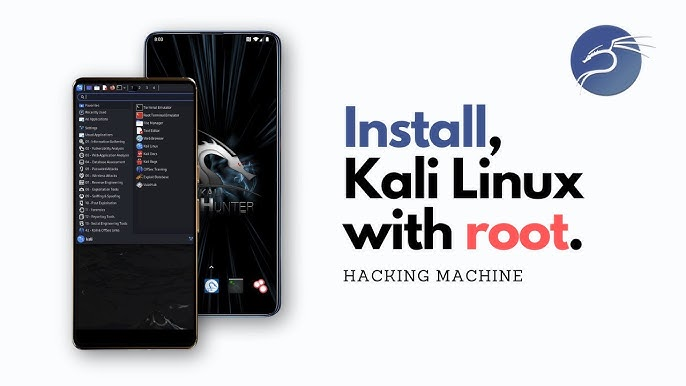
What Is Kali NetHunter?
Kali NetHunter is an open-source mobile penetration testing platform developed by Offensive Security — the same team behind Kali Linux. It brings a large portion of Kali's powerful security toolkit directly to your Android smartphone. This means you can perform wireless auditing, port scanning, password testing, and many other security tasks from a device that fits in your pocket.
The good news for anyone who does not want to risk their phone: NetHunter Rootless is an officially supported edition that installs entirely in user space using an app called Termux. No unlocked bootloader, no custom recovery, no warranty voiding required.
ℹ️Nigerian context: This guide works on any Android 7.0+ device, including popular phones used across Nigeria like Tecno, Infinix, Itel, Samsung, and Xiaomi. A stable internet connection (WiFi preferred) is recommended for the initial download.
What You Need Before You Start
Make sure you have these in place before going any further:
📱
Android Device
Android 7.0 or higher. No root required.
💾
Free Storage
At least 5 GB of free internal storage space.
📶
Internet Access
WiFi strongly recommended. Mobile data works, but can be slow.
🔋
Battery
Keep your phone charged above 60% during setup.
🧠
Basic Terminal Knowledge
Familiarity with basic Linux commands is helpful but not required.
⚖️
Legal Authorisation
Only use these tools on networks and systems you own or have permission to test.
⚠️Important ethical notice: Kali NetHunter is a professional security tool. Using it without proper authorisation to access networks or systems that do not belong to you is illegal under Nigerian law (Cybercrimes Act 2015). TechTrain Academy promotes responsible, ethical use of cybersecurity knowledge only.
Step-by-Step Installation Guide
Follow these steps in order. Do not skip any step — each one builds on the previous.
1 Install Termux from F-Droid
→Open your browser and go to f-droid.org
→Search for Termux and download the latest version directly from F-Droid.
→Install the APK. You may need to allow installation from unknown sources — go to Settings → Security → Install unknown apps and enable it for your browser.
💡Do not install Termux from the Google Play Store. The Play Store version is outdated and no longer maintained. The F-Droid version is the current, supported release.
2 Update Termux packages
→Open Termux and let it finish its initial setup.
→Run the following commands one at a time to update the package list and upgrade existing packages:
pkg update -y
pkg upgrade -y
→This may take a few minutes depending on your connection speed. Press Enter if prompted to confirm anything.
3 Install required dependencies
→Still inside Termux, install the tools that NetHunter needs to run:
pkg install wget curl proot tar -y
→Wait for all packages to finish installing. You should see no errors in red text when done.
4 Download the NetHunter Rootless installer script
→Run this command inside Termux to download the official installation script from the Kali Linux team:
wget -O install-nethunter-termux https://offs.ec/2MceZWr
→Once downloaded, make the script executable:
chmod +x install-nethunter-termux
ℹ️The chmod +x The command gives the script permission to run on your device. This is standard Linux practice and completely safe.
5 Run the NetHunter installer
→Execute the installer script:
./install-nethunter-termux
→The script will now download and extract the full Kali NetHunter rootless filesystem. This download is approximately 1.2 GB to 2 GB, depending on the selected image — be patient and keep your connection active.
→The installer will prompt you to select a few options. For most users, press Enter to accept the defaults.
⚠️If your download fails halfway due to a poor connection, simply run ./install-nethunter-termux it again. The script handles the resume automatically.
6 Launch Kali NetHunter
→When installation is complete, you can start NetHunter by typing:
nethunter
→To launch as a normal Kali user, just use:
nethunter
→To launch as the Kali root user (for tools that require elevated access within the container):
nethunter -r
→You should now see the Kali Linux command prompt appear inside your Termux session. You are running Kali NetHunter on Android — no root required!
7 Install a graphical interface (optional but recommended)
→If you want a full desktop experience, install a VNC-based GUI. First, inside the NetHunter session, install a lightweight desktop environment:
nethunter kex passwd
→Set a password for the VNC session when prompted, then start the desktop:
nethunter kex &
→Download NetHunter KeX from the Google Play Store or F-Droid, open it, connect to it localhost:5901, and enter the password you just created. You now have a full Kali Linux desktop on your Android device.
💡KeX stands for Kali Embedded X (graphical interface). It gives you access to GUI tools like Burp Suite, Wireshark, and others that are difficult to use purely on the command line.
8 Update Kali and install your tools
→Inside the NetHunter session, always start by updating the system:
sudo apt update && sudo apt upgrade -y
→Then install whichever Kali tools you need. For example, to install the popular network scanner Nmap:
sudo apt install nmap -y
→To install the NetHunter full tool suite (this is large — about 15 GB):
sudo apt install kali-linux-nethunter -y
→For beginners, install the minimal or core packages first and add tools as you need them.
Pro Tips for Nigerian Users
Managing Data Usage
The initial download is heavy. If you are on mobile data (MTN, Airtel, Glo, or 9mobile), schedule the installation for a time when you have a data bundle with a large GB. Using a WiFi connection at school, a cybercafé, or home is always the smarter option for the first setup.
Dealing with Slow Downloads Inside Kali
Sometimes the Kali repositories can be slow, depending on your ISP and region. If apt update is crawling, try switching to a closer mirror. Inside your NetHunter session, edit the sources list:
sudo nano /etc/apt/sources.list
Replace the existing line with:
deb https://http.kali.org/kali kali-rolling main contrib non-free non-free-firmware
Keeping NetHunter Updated
Security tools need to stay current. Make it a habit to run an update at the start of every session:
sudo apt update && sudo apt full-upgrade -y
Backing Up Your Setup
Termux's data lives at /data/data/com.termux/files/. You can back up the entire NetHunter filesystem by creating a compressed archive of your home directory. This way, if you ever switch phones or reinstall, you do not lose your configurations and saved work.
Common Problems and How to Fix Them
The installer says "command not found" when I type nethunter
Close and reopen Termux after installation. The shell needs to reload its environment variables to recognise the new command. Type source ~/.bashrc or simply exit and restart Termux.
Download keeps stopping at a random percentage
This is usually a network instability issue. Re-run the installer script — it will detect where the download stopped and resume from there. Switch to WiFi if you are on mobile data.
KeX connects, but the screen is black
Stop the KeX server with nethunter kex stop, then restart it with nethunter kex &. Also, confirm you installed a desktop environment (XFCE is the default and the lightest option).
Some tools say "permission denied" or won't run
Inside the rootless installation, some tools expect actual root access to the kernel and will not function fully. These include tools that need raw socket access (like certain WiFi attack tools). This is a limitation of the rootless edition — not a bug in your setup.
Termux was uninstalled when I cleared app data
Android's "Clear Data" on Termux wipes everything inside it, including your NetHunter installation. Always back up your Termux home folder before doing any phone cleanup or factory reset.
What Can You Do With NetHunter Now?
Now that you have a working Kali NetHunter environment on your Android device, here are some legitimate learning paths you can explore:
→ Network reconnaissance: Use Nmap to scan your own home network and understand how devices appear to a security analyst.
→ Password auditing: Tools like John the Ripper and Hashcat let you test the strength of passwords on systems you own.
→ Web application testing: Nikto and SQLmap can help you find vulnerabilities in web apps you are building or managing.
→ Capture The Flag (CTF) competitions: Platforms like HackTheBox, TryHackMe, and PicoCTF let you practice legally on purpose-built vulnerable systems. These are great for building your portfolio as a Nigerian cybersecurity professional.
→ Certifications: If you are serious about a career in cybersecurity, use NetHunter as a study companion for CEH, CompTIA Security+, or Offensive Security's own OSCP certification.
💡At TechTrain Academy, we offer structured cybersecurity training programmes designed for Nigerians entering the tech and security industry. Reach out if you want guided, hands-on mentorship beyond self-study.
Tags:
Kali NetHunter Android Security Ethical Hacking Nigeria Termux Cybersecurity Nigeria Tech Train Academy No Root
JG Jackson Godwin
Cybersecurity Instructor · TechTrain Academy
Jackson Godwin is a cybersecurity educator and tech trainer based in Nigeria. Through TechTrain Academy, he equips students and professionals with practical digital security skills built for the African tech landscape. His focus areas include ethical hacking, network security, and applied Linux.✉ info@jacksontechnology.com.ng
Ethical Use Notice
Kali NetHunter is a professional cybersecurity platform designed for security research, penetration testing, and educational purposes. Users are responsible for complying with all applicable laws and obtaining proper authorisation before using any security tools discussed in this guide.
© 2026 Jackson Godwin | TechTrain Academy. All rights reserved.