By Jackson Godwin. Cybersecurity Analyst & Penetration Tester.
Disclaimer:This story is fictional but inspired by real “ClickFix” and fake CAPTCHA malware campaigns reported by cybersecurity researchers. It is written to educate readers about modern cyber threats and safe browsing practices.
It Started With a Simple Google Search
I wasn’t visiting a suspicious website.
I wasn’t downloading pirated software.
I was simply searching for a free PDF conversion tool.
Google displayed dozens of results.
I clicked on one that appeared near the top.
The website loaded normally.
At least…
That’s what I thought.
A Security Check Appeared
Before I could access the file converter, a message appeared on the screen.
“Please verify that you are human.”
Below the message was a familiar CAPTCHA.
It looked almost identical to the verification boxes I had seen hundreds of times before.
I clicked:
✅ “I’m not a robot.”
Instead of continuing, another screen appeared.
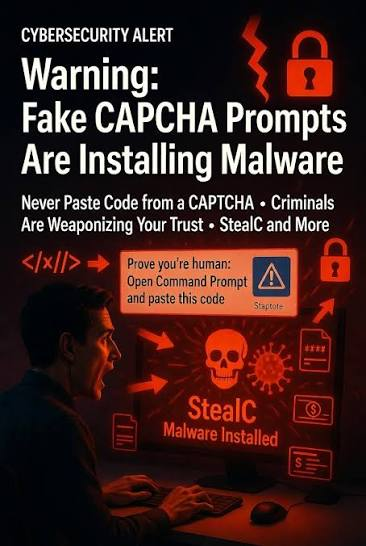
The Instructions Were Strange
The page displayed a message saying:
“Your browser requires additional verification.”
Then it instructed me to complete three steps:
Press Windows + R.
Press Ctrl + V.
Press Enter.
The website claimed these steps would complete the human verification.
It even included helpful screenshots.
At first glance, everything looked official.
I Almost Followed Them
I had never seen a CAPTCHA ask me to do that before.
But the page explained that it was a new anti-bot security system.
I hesitated.
Then I thought:
“Maybe browsers have changed.”
Without fully understanding what was happening, I pressed Windows + R.
The Run dialog opened.
Something Was Already Copied
When I pressed Ctrl + V, a long command appeared automatically.
I hadn’t copied anything myself.
The website had secretly placed text into my clipboard.
The command looked technical.
Random letters.
Numbers.
Symbols.
I couldn’t understand it.
I Was About to Press Enter
My finger hovered over the keyboard.
The page displayed a green message.
“Final verification step.”
Everything suggested I was only seconds away from accessing the website.
Then something stopped me.
A Memory Saved Me
A few weeks earlier, I had read a cybersecurity article warning about fake CAPTCHA attacks.
One sentence suddenly came back to me:
“No legitimate CAPTCHA will ask you to paste commands into the Windows Run box.”
I immediately removed my hands from the keyboard.
Closed the browser.
Restarted my computer.
Only later did I discover what would have happened if I had pressed Enter.
(Continue in Part 2, where I’ll explain what the hidden command actually did, reveal how fake CAPTCHA attacks infect computers, and show why thousands of people are falling for this new malware technique.)