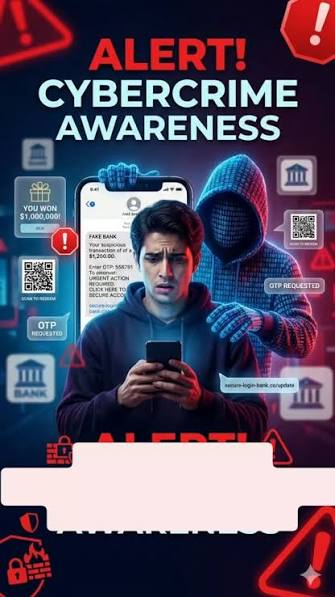
The WhatsApp Message That Nearly Emptied My Bank Account (Part 1)
July 27, 2026
Com 0
By Jackson Godwin. Cybersecurity Analyst & Penetration Tester
The WhatsApp Message That Nearly Emptied My Bank Account
Disclaimer:This story is fictional but inspired by real WhatsApp banking scams reported around the world. It is written to educate readers about social engineering attacks and how to recognise fraudulent messages.
It Started With a Simple WhatsApp Notification
It was an ordinary Tuesday afternoon.
I was at work when my phone vibrated.
I glanced at the screen.
A new WhatsApp message had arrived.
At first, I ignored it.
I assumed it was another group chat or a friend sharing a funny video.
But when I looked again, something caught my attention.
The sender’s profile picture looked familiar.
Very familiar.
It Looked Like My Bank
The profile picture displayed what appeared to be my bank’s official logo.
The display name matched the bank almost perfectly.
The message was polite and professional.
It read:
“Dear Customer, unusual activity has been detected on your bank account.”
“Please verify your account immediately to prevent temporary suspension.”
My heart immediately skipped a beat.
Nobody wants to hear that something unusual is happening with their bank account.
The Timing Was Perfect
What made the message even more believable was the timing.
Only a few days earlier, I had transferred money to pay several bills.
For a brief moment, I wondered if something had genuinely gone wrong.
The message didn’t ask for money immediately.
Instead, it offered to “help protect” my account.
That made it sound even more trustworthy.
The Customer Service Representative Was Polite
A few seconds later, another message appeared.
“Our fraud prevention team is currently reviewing your account.”
“We are here to assist you.”
The conversation felt professional.
There was no bad grammar.
No obvious spelling mistakes.
The replies arrived quickly.
Everything looked exactly like a legitimate customer support conversation.
Then Came the Link
The representative explained that I needed to verify my identity.
A link appeared underneath the message.
It supposedly led to my bank’s secure verification page.
The web address even contained the bank’s name.
At first glance, everything appeared normal.
Without thinking too much, I almost tapped it.
Something Stopped Me
Just before opening the link, I paused.
I remembered something I had learned during cybersecurity training.
Banks rarely ask customers to verify sensitive account information through unsolicited WhatsApp messages.
That thought made me hesitate.
Instead of clicking the link immediately, I decided to examine it more carefully.
That single decision probably saved my bank account.
The Conversation Became More Urgent
The representative noticed I hadn’t responded.
Another message arrived.
“Your account may be temporarily restricted if verification is not completed within 15 minutes.”
Then another.
“Please complete verification immediately to avoid service interruption.”
The pressure increased.
Every message encouraged me to act quickly.
Not think.
Not verify.
Just click.
I Almost Pressed the Link
My finger was already hovering over the screen.
If I had been distracted…
If I had been in a hurry…
If I hadn’t paused for just a few seconds…
I probably would have opened the website without questioning it.
But instead of tapping the link, I decided to investigate.
And what I discovered next exposed the entire scam.
(Continue in Part 2, where I’ll explain how fake WhatsApp banking messages imitate legitimate customer support, reveal the warning signs hidden inside the conversation, and show how a few minutes of investigation uncovered the truth.)