



By Jackson Godwin. Cybersecurity Analyst & Penetration Tester.
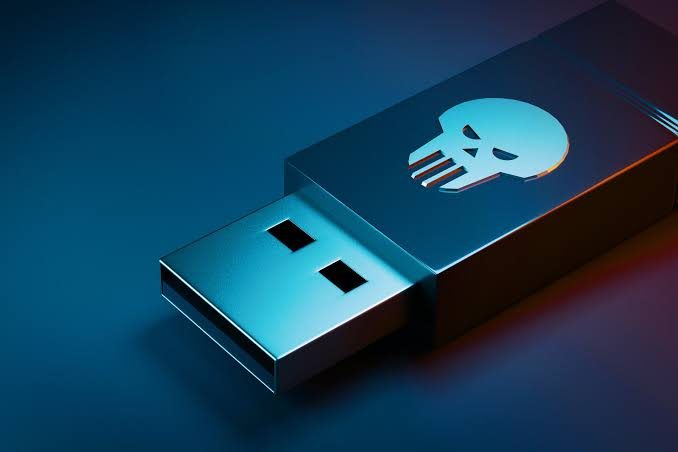
Why Would Anyone Leave a USB Drive Behind?
The conversation in the office became more interesting.
One colleague looked at the flash drive and asked,
“Why would anyone deliberately leave a USB drive where someone could find it?”
It was a good question.
Most people assume a lost USB drive is exactly that—lost.
And in many cases, that’s true.
People accidentally leave USB drives behind in meeting rooms, taxis, airports, hotels, universities, and offices every day.
But as cybersecurity professionals, we are trained not to assume every unknown device is harmless.
Sometimes an item is simply lost.
Sometimes it isn’t.
That difference is why caution matters.
The Psychology Behind the Attack
Cybercriminals understand something about human nature.
People are naturally curious.
If you see a USB flash drive labelled:
- Payroll 2026
- Confidential
- Salary Review
- Company Accounts
- Private Photos
- Interview Questions
Would you be tempted to see what’s inside?
Many people would.
Not because they’re bad people.
Because curiosity is human.
Attackers know this.
Instead of trying to hack someone’s computer directly, they may rely on a person to connect an unknown device voluntarily.
This type of social engineering technique is commonly known as USB baiting.
The “bait” is the USB drive.
The goal is to convince someone else to do the rest.
It’s Not the USB Drive That Makes the Decision
One misunderstanding I often hear is:
“Can a USB drive automatically hack my computer?”
The answer depends on many factors.
Modern operating systems include security protections that reduce many risks.
However, unknown USB devices can still present security concerns depending on what’s stored on them, how they’re configured, and how the person interacts with them.
For example, someone might:
- Open an unfamiliar file.
- Install software from the device.
- Enable macros in a document.
- Trust content without verifying its source.
In other words, technology is only part of the story.
Human decisions are just as important.
What We Did Instead
Rather than plugging the USB drive into my laptop, we agreed on a safer approach.
First, we checked whether anyone in the office had reported losing a flash drive.
No one had.
Next, we contacted the building’s reception desk.
The receptionist told us no one had asked about a missing USB device.
Instead of experimenting with it, we handed it over to the reception team as lost property.
If the owner returned, they could collect it safely.
If nobody claimed it, the organization’s normal procedures would apply.
That decision took less than five minutes.
But it eliminated unnecessary risk.
My Colleague Changed His Mind
Later that afternoon, the same colleague who had encouraged me to plug in the flash drive walked over to my desk.
He smiled and said,
“You know… I probably would have connected it without thinking.”
I laughed.
“So would many people.”
Then I asked him a question.
“If you found a random charger lying outside, would you immediately connect it to your phone?”
He paused.
“No.”
“What about the medicine you found on the ground?”
“Definitely not.”
“So why should we automatically trust an unknown USB device?”
He nodded.
The comparison made sense.
Sometimes we trust digital objects much more quickly than physical ones.
The Same Lesson Applies at Home
USB baiting isn’t only a workplace issue.
Imagine finding a flash drive:
- At a university campus.
- In a hotel lobby.
- At an airport.
- In a café.
- In a shopping mall.
- Outside your apartment building.
Your first thought might be:
“I’ll just check whose it is.”
But that small decision could expose your personal computer or important information to unnecessary risk.
The safest option is usually not to connect an unknown device to your own computer.
Instead, if appropriate, hand it to the relevant organization or lost-and-found service.
One Small Decision Can Prevent Bigger Problems
Looking back, nothing dramatic happened that day.
There were no flashing warning messages.
No alarms.
No hacked computers.
No stolen files.
And that’s exactly why cybersecurity can seem invisible.
Many successful security decisions don’t create exciting stories.
They simply prevent problems before they begin.
Refusing to plug in an unknown USB drive wasn’t dramatic.
It was just a simple decision based on good cybersecurity habits.
And sometimes…
Those simple decisions are the ones that matter most.
By the end of the day, the mysterious USB flash drive was no longer the most interesting part of the story.
The real lesson was understanding how curiosity can influence our decisions—and how attackers sometimes rely on that curiosity rather than advanced technology.
In the final part of this article, I’ll share the USB Safety Checklist I follow, explain what to do if you’ve already connected an unknown USB device, answer common questions about USB security, and leave you with practical habits that can help protect both your personal and work computers.


