By Jackson Godwin. Cybersecurity Analyst & Penetration Tester.
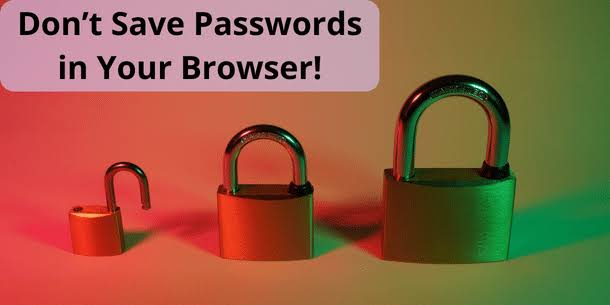
Why I Stopped Saving Passwords in My Browser—And What I Use Instead
Disclaimer: This article is based on real cybersecurity best practices and is written to educate readers about password security. While the story is fictional, the security advice reflects widely recommended practices.
It Started With a Single Click
For years, I did exactly what millions of people do every day.
Every time I logged into a website, my browser would ask:
“Would you like to save this password?”
Without thinking…
I clicked Save.
It happened so often that it became a habit.
Facebook?
Save.
LinkedIn?
Save.
Netflix?
Save.
GitHub?
Save.
My online shopping accounts?
Save.
Eventually, my browser knew almost every password I owned.
At the time, it felt like a smart decision.
I didn’t have to remember dozens of passwords.
I didn’t have to reset forgotten passwords every month.
Everything was faster.
Everything was convenient.
Then one afternoon, something happened that completely changed the way I think about passwords.
A Demonstration That Changed My Mind
I was preparing for a cybersecurity awareness session at work.
The topic was password security.
To demonstrate how attackers think, I used my own laptop during the presentation.
One of my colleagues asked a simple question.
“If someone steals your laptop while it’s unlocked, can they see your saved passwords?”
I smiled.
I was confident.
“Probably not,” I replied.
After all, modern browsers are secure.
Right?
To answer the question, I opened my browser settings.
Then I clicked:
Passwords
Within seconds…
There they were.
A long list of websites.
Usernames.
Saved login credentials.
Some entries required additional authentication to reveal the password, while others displayed account information that reminded me just how much my browser knew about me.
At that moment, I stopped thinking like a user.
I started thinking like a cybercriminal.
What Would Happen If Someone Had My Computer?
Imagine this.
You leave your laptop on your office desk while you grab coffee.
Or you forget your computer at the airport.
Or someone steals your unlocked device.
If an attacker gains access to your browser profile, what information might they find?
Your saved accounts.
Your browsing history.
Your autofill information.
Sometimes even payment details, depending on your settings.
That realization made me uncomfortable.
Not because browser password managers are inherently unsafe.
But because I had become too dependent on convenience.
Convenience Can Create Complacency
As cybersecurity professionals, we often talk about balancing security and convenience.
The easier something becomes…
The less we tend to think about it.
That was exactly what had happened to me.
I no longer knew many of my own passwords.
I had stopped reviewing my online accounts.
I hadn’t checked which websites still had my credentials saved.
I had simply trusted my browser to remember everything.
Trust isn’t a bad thing.
Blind trust is.
Are Browser Password Managers Unsafe?
This is where many articles get it wrong.
Some websites claim you should never save passwords in your browser.
Others claim browser password managers are perfectly secure.
The truth is somewhere in the middle.
Modern browsers like Google Chrome, Microsoft Edge, Mozilla Firefox, and Apple Safari have improved their password management features significantly over the years.
They can:
- Generate strong passwords.
- Warn you if a password appears in a known data breach.
- Synchronize passwords across your devices.
- Encrypt stored credentials.
These are useful features.
In many cases, using your browser’s password manager is far better than:
- Reusing the same weak password everywhere.
- Writing passwords on sticky notes.
- Saving passwords in an unprotected text file.
However…
No solution is perfect.
That’s why it’s important to understand both the strengths and the limitations.
The Problem Wasn’t the Browser
After spending more time researching the issue, I realized something important.
The browser wasn’t the real problem.
My habits were.
I had:
- Reused a few passwords years earlier.
- Forgotten which websites stored my credentials.
- Never cleaned up old accounts.
- Relied entirely on convenience instead of reviewing my security regularly.
The browser wasn’t making those decisions.
I was.
That realization completely changed my approach to password security.
Then I Audited Every Online Account
That evening, I made myself a promise.
I would review every important account I owned.
Email.
Banking.
Social media.
Shopping websites.
Cloud storage.
Developer platforms.
Everything.
What I discovered surprised me.
Some accounts hadn’t been used in years.
Others still used passwords I had created long before I understood good cybersecurity practices.
Several websites still had my credentials saved even though I no longer visited them.
It became clear that my digital life needed the same thing every organization eventually needs.
A proper security audit.
And that’s exactly what I began doing.
(Continue reading in the next section, where I’ll explain the password mistakes I found, why password hygiene matters, and what I use today instead of relying entirely on browser password storage.)